Double Exposure Effect — Free Online
Blend a portrait with a landscape, city or sky — adjust the strength live






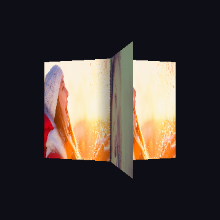
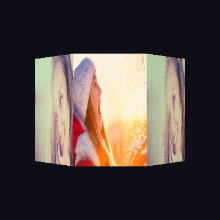
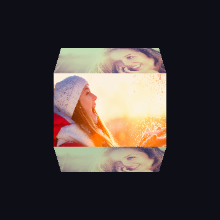
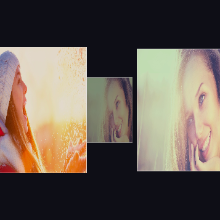
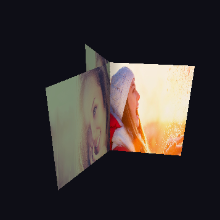










































Make a double exposure photo online
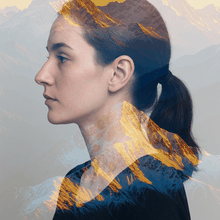
A double exposure layers two photos so one shows through the other — classically a portrait whose silhouette is filled with a forest, mountains or a city at night. This editor uses a screen blend: wherever either photo is light it stays light, and the dark parts of your portrait take on the second photo. Drag the Strength slider from a subtle hint to the full effect, rendered live in WebGL.
For the classic look, use a portrait shot against a plain, light background — a pale wall or a bright sky — with the subject darker than what is behind it, and pair it with a detailed, high-contrast scene such as trees, mountains, clouds or city lights. Everything runs in your browser and your photos are never uploaded. Export at HD, 2K or 4K for free; free exports carry a small photoblender.online watermark, which a one-off clean export or Premium removes.
How it works
- 1Add your portrait as Image 1. A face or figure against a light, uncluttered background works best. The sample portrait shows the effect before you upload anything.
- 2Add a scene as Image 2. Landscapes, forests, clouds, water and city lights all work — choose one with strong texture and contrast so it reads inside the silhouette.
- 3Set the strength and save. Drag the Strength slider until the balance looks right, then tap Save Blend and pick HD, 2K or 4K. The export re-renders at full resolution.
Common questions
- What is a double exposure photo?
- Two images combined in one frame so both are visible at once. Film cameras made it by exposing the same frame twice; here the photos are merged with a screen blend, which gives the same light, layered look.
- Why does my double exposure look washed out?
- Screen blending keeps light areas light, so a busy or dark background behind your subject lets the scene spill everywhere. Use a portrait on a plain, light background and a scene with strong contrast, and lower the Strength slider if the result looks faded.
- Is it free?
- Yes — the effect and every export resolution up to 4K are free. Free exports include a small photoblender.online watermark; a one-off clean export or Premium removes it.
- Are my photos uploaded?
- No. The blend is rendered in your browser with WebGL, and the saved image is created on your device.